
FreeThis page
Free PNG to PSD
- Your whole image on one layer, named after the file
- Same pixel size, transparency kept
- Optional white background layer underneath
- Runs in your browser: no account, nothing uploaded
Turn images into PSD files that open in Photoshop, Photopea or GIMP. Up to 20 at once, size and transparency kept, and nothing leaves your device.
Drop PNG, JPG or WebP images here
Up to 20 files · 50 MB eachor paste with Ctrl+V
Need real layers?
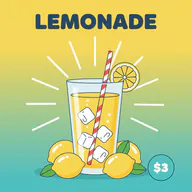
This converter wraps your picture in a PSD as a single layer — what you need to open it in Photoshop or hand it to someone who asked for a .psd. If you want the subject, the text and the background on separate layers, that takes AI layer splitting.
Needs an account and credits. Failed runs are refunded.
How it works
No sign-up and no upload. Your browser reads each image, writes the PSD and hands it straight back as a download.
Drop PNG, JPG or WebP files on the box, click to choose them, or paste an image you copied. Up to 20 files, 50 MB each.
Leave the option off to keep transparency, or tick “Add a white background layer” for a two-layer PSD with your image above a white layer.
Save each PSD on its own or all of them in one ZIP. Every file is named after its source image and opens in Photoshop, Photopea, GIMP, Affinity Photo and Krita.
Why use it
Made for the moments when someone needs a .psd — a template, a print shop, a client hand-off or an app that only accepts Photoshop files — and you have a PNG or JPG.
Images are converted on your own device. No server sees them, so it is safe for client work and unreleased designs.
Transparent pixels in a PNG or WebP stay transparent in the PSD layer. A JPG has no transparency, so it becomes one opaque layer.
Convert up to 20 images in one go and download them together as a ZIP, each PSD named after its source file.
The PSD canvas matches your image pixel for pixel. Nothing is resized or cropped, and the pixels are stored without further compression loss.
FAQ
Yes. It runs entirely in your browser and never calls an AI model or a server, so there is nothing to pay and no account to create. The AI layer splitter elsewhere on this site is a separate, paid tool.
No. Your browser reads each file, builds the PSD and offers it as a download. The images never leave your device.
No. A converter can only place your image in the PSD as it is: one layer, or two with the white background. To get the subject, text and background on separate layers, use AI layer splitting, which costs credits.
Yes. JPG, PNG and WebP all work the same way. A JPG has no transparency, so its layer is fully opaque.
Yes. Transparent pixels in a PNG or WebP stay transparent in the PSD layer. Tick “Add a white background layer” if you would rather have a white layer underneath.
Up to 20 images per batch and 50 MB per image. Very large images, around 100 megapixels and up, can be more than a browser can hold in memory; phones run out sooner than computers.
Adobe Photoshop, Photopea, GIMP, Affinity Photo and Krita. Each file also stores a flattened copy of the picture, so apps that only read that copy still show the image.
No. Text in a PNG or JPG is just pixels, and it stays pixels in the PSD. Neither this converter nor the AI layer splitter creates live, editable type.
When one layer is not enough, the AI layer splitter separates your image into named layers and exports a layered PSD.